Product updates
-
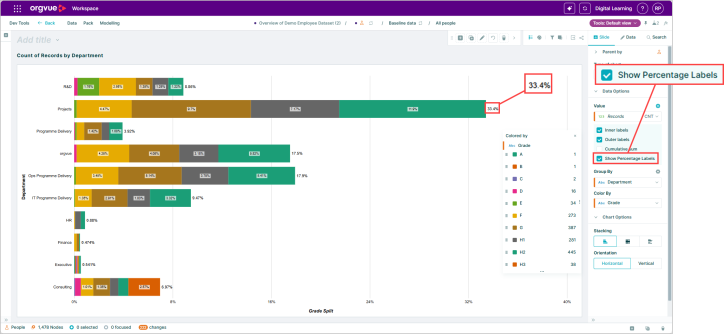 Display percentage labels directly on Orgvue bar charts to make proportions easier to understand, compare workforce data, and share insights clearly.
 -
 Product update
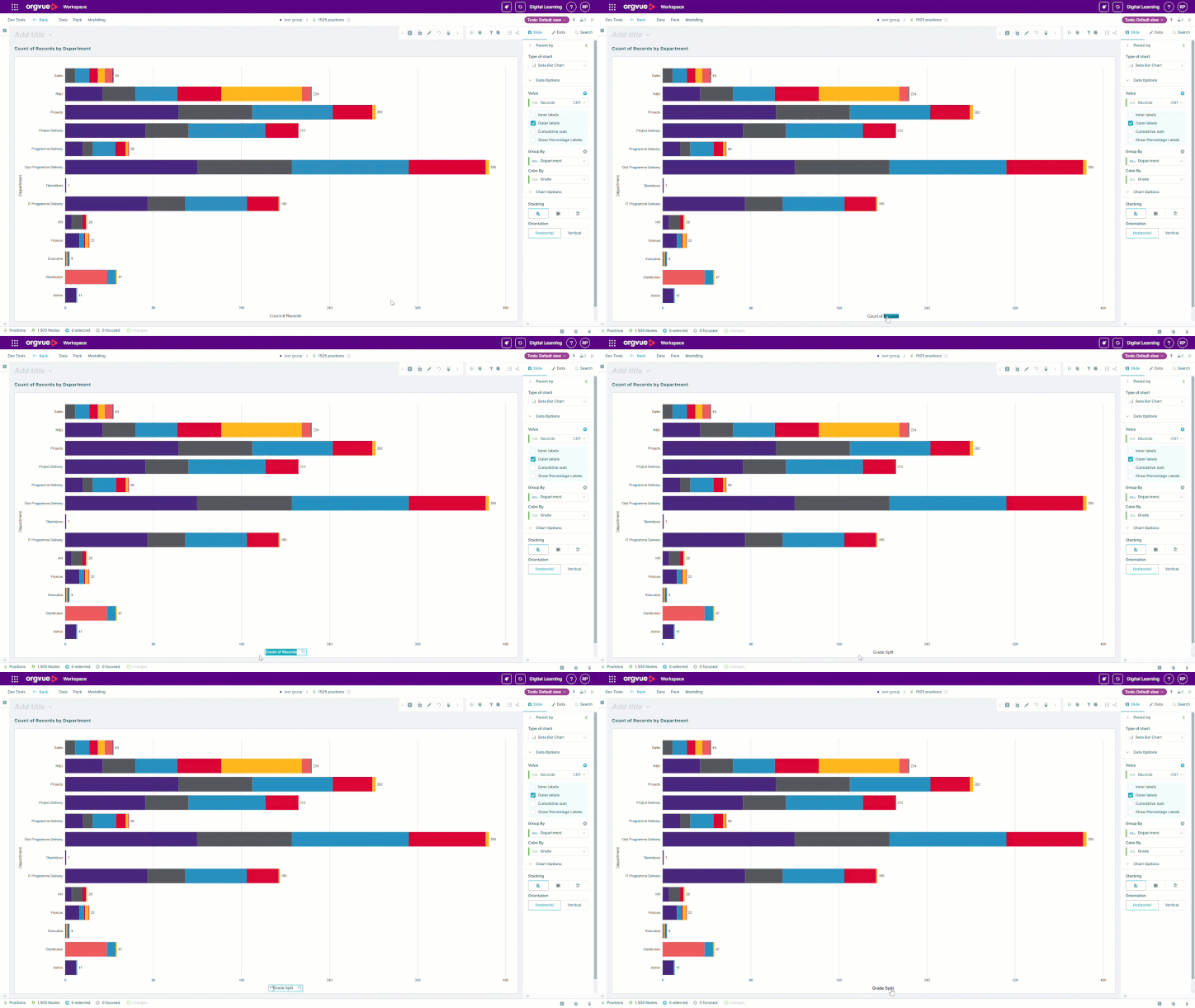
Create presentation-ready bar chart axes in fewer steps
Edit and format bar chart axis titles directly in Orgvue. Create clearer, presentation-ready visualizations faster with in-chart editing and text formatting.
Product update
Create presentation-ready bar chart axes in fewer steps
Edit and format bar chart axis titles directly in Orgvue. Create clearer, presentation-ready visualizations faster with in-chart editing and text formatting. -
 Retrieve participant survey links after invitations are sent, making it easier to support users, resend access, and manage survey participation.
 -
 Choose whether activity and competency lists start expanded or collapsed in Orgvue surveys, creating a clearer and more intuitive participant experience.
 -
 Product update
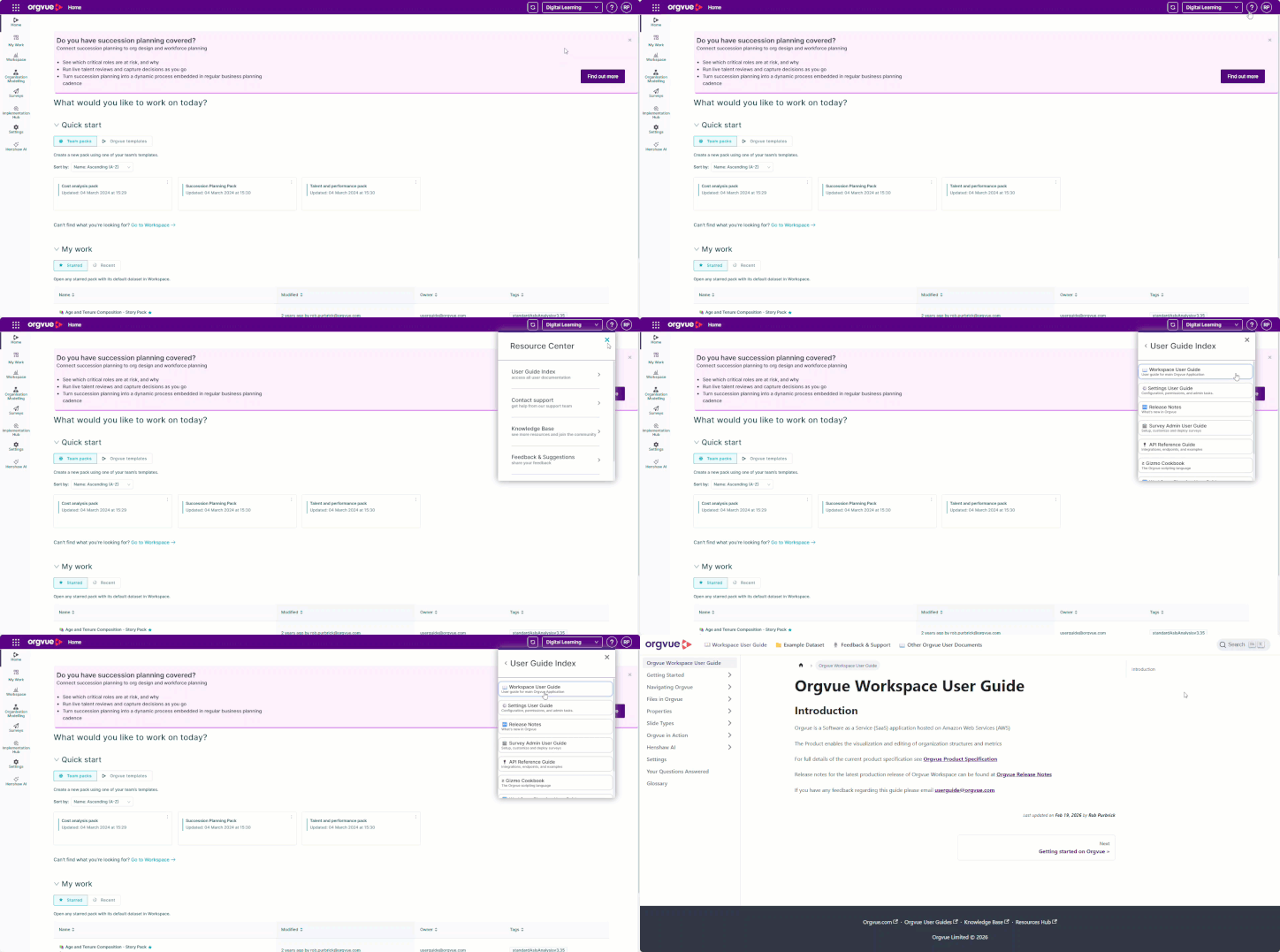
Find the right Orgvue user guide from inside the product
Access Orgvue user guides directly from the in-product help menu, making it faster to find relevant guidance and support while you work.
Product update
Find the right Orgvue user guide from inside the product
Access Orgvue user guides directly from the in-product help menu, making it faster to find relevant guidance and support while you work. -
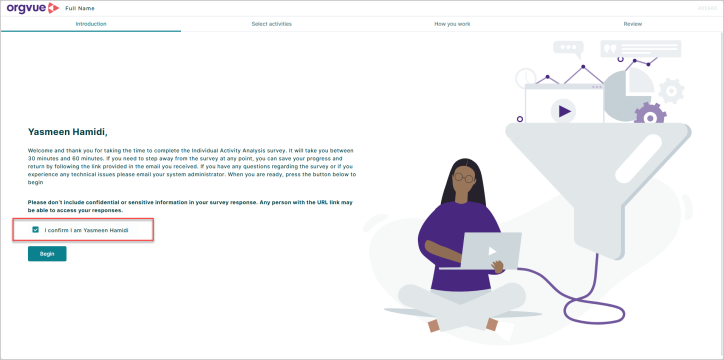 Personalize Orgvue survey welcome screens with each participant’s full name, creating a clearer and more reassuring start to the survey.
 -
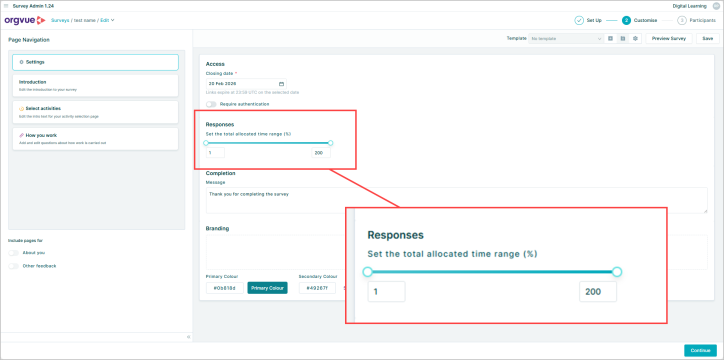 Set flexible time-allocation ranges in Orgvue Activity Surveys, from 1% to 200%, to capture partial roles and overlapping activities more accurately.
 -
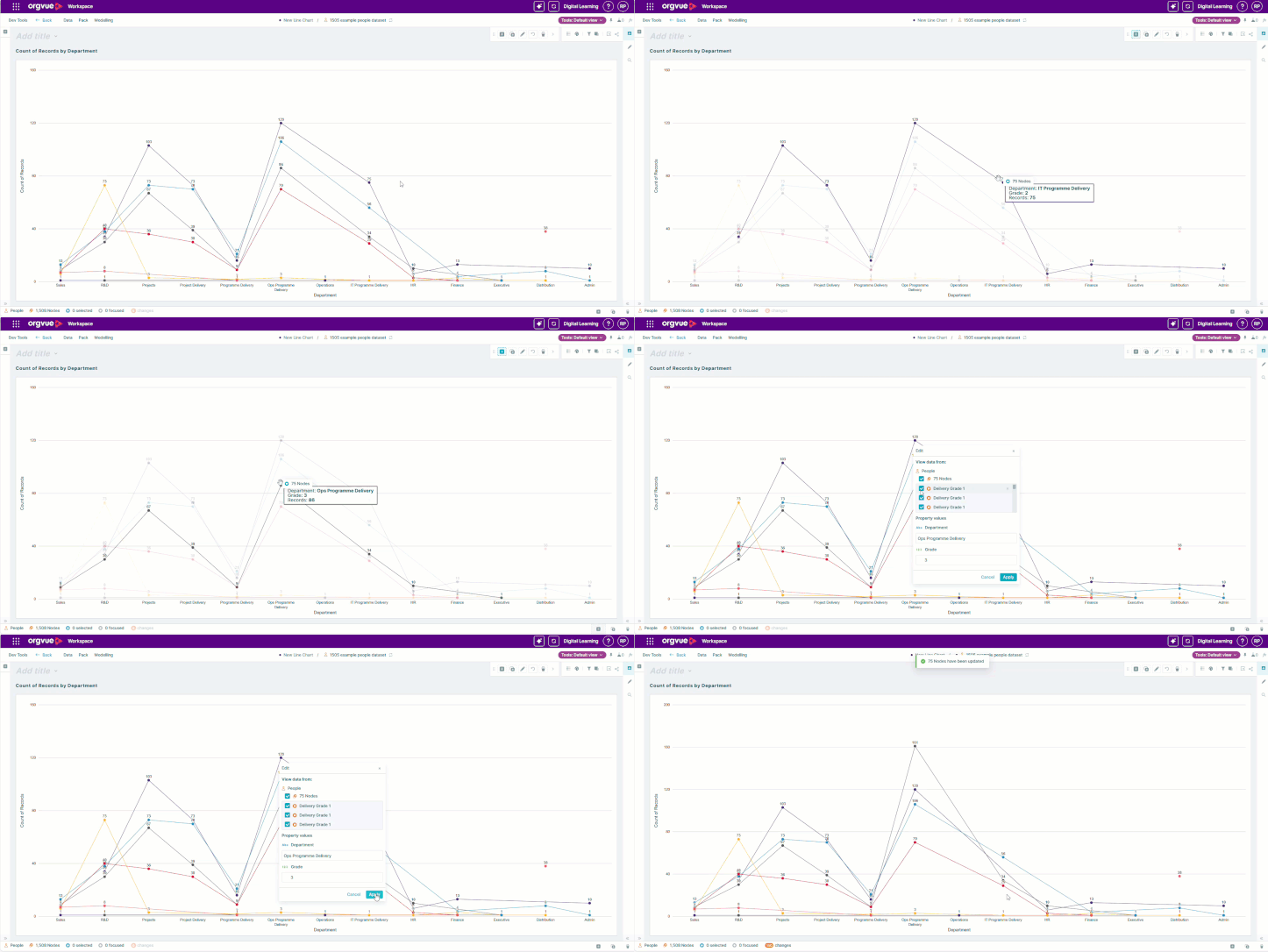 Product update
Edit line charts directly and keep PowerPoint exports flexible
Edit Orgvue line charts with drag-and-drop controls, then export them as editable PowerPoint objects for flexible presentation formatting.
Product update
Edit line charts directly and keep PowerPoint exports flexible
Edit Orgvue line charts with drag-and-drop controls, then export them as editable PowerPoint objects for flexible presentation formatting. -
-
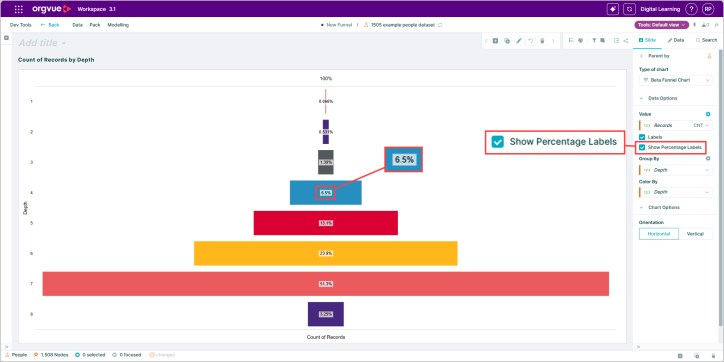 Show percentage labels on Orgvue funnel charts to make proportions clearer and help audiences compare the relative size of each stage.


