Capture a more complete picture of how people spend their time
Orgvue product update
An activity taxonomy does not always describe every part of a participant’s job. Orgvue Activity Surveys now give administrators more flexibility over the total allocation a response can contain.
When creating a survey, you can set the allowable range for total time allocated anywhere between 1% and 200%.
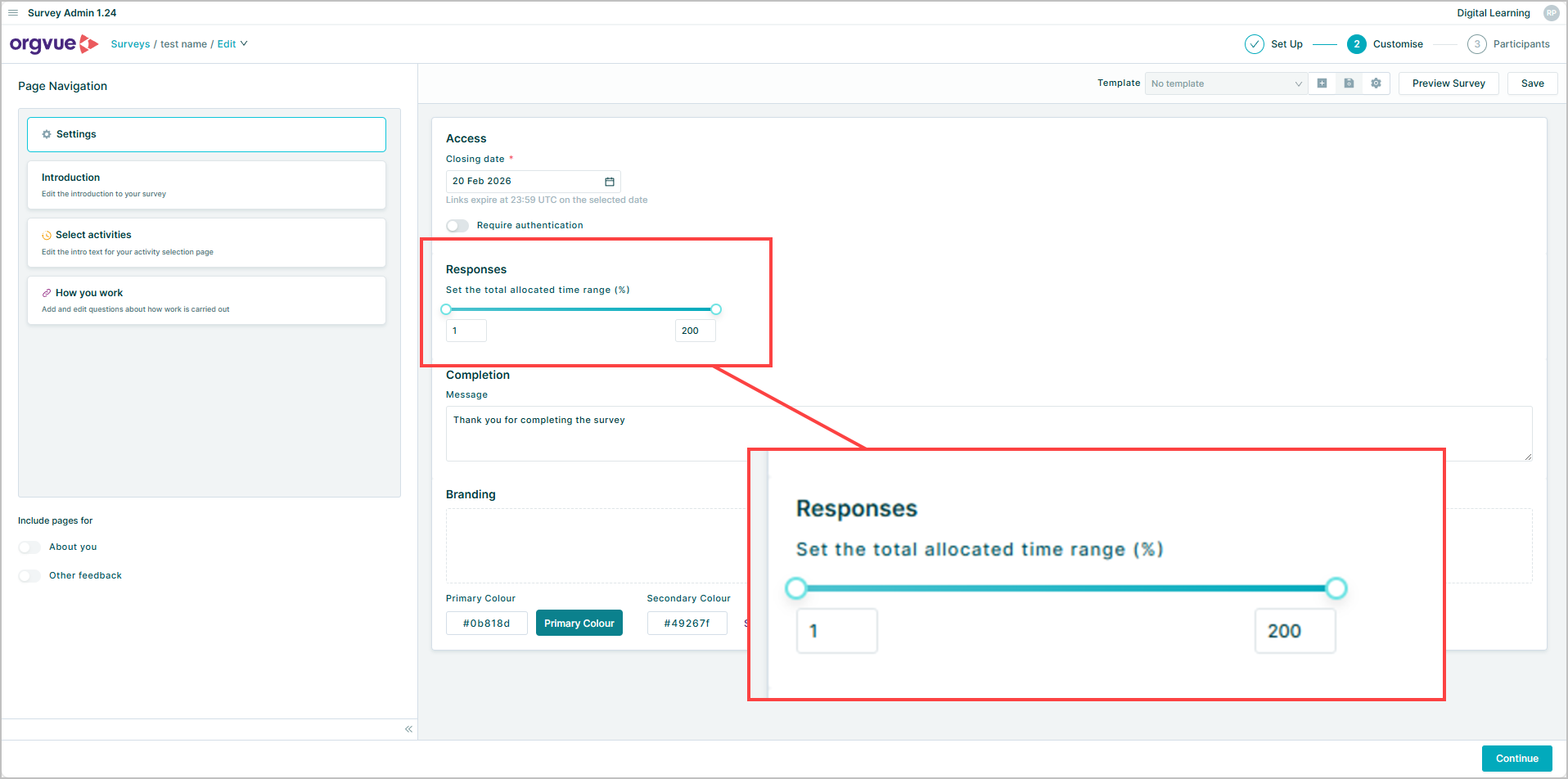
This wider range supports survey designs where the listed activities cover only part of a role, as well as approaches that intentionally allow overlapping allocations. Participants can submit a response that reflects the survey’s purpose instead of being forced into a 100% total that may not fit the underlying model.
For survey administrators, the control makes it easier to design the validation around the activity framework being used. Set the minimum and maximum when configuring the survey, then give participants clear guidance on what their allocation should represent.
Explore the Orgvue platform
FAQ: Activity surveys
When creating the survey, you can set the allowable total allocation range anywhere between 1% and 200%.
A lower total can suit a survey where the listed activities intentionally cover only part of a participant’s role.
A higher total can support a survey design that intentionally permits overlapping activity allocations.
Yes. Administrators should explain what the allocation represents so participants use the configured range consistently.