Edit line charts directly and keep PowerPoint exports flexible
Orgvue product update
The Orgvue line chart has been improved in two places where analysts often need more flexibility: editing the visualization and finishing a presentation.
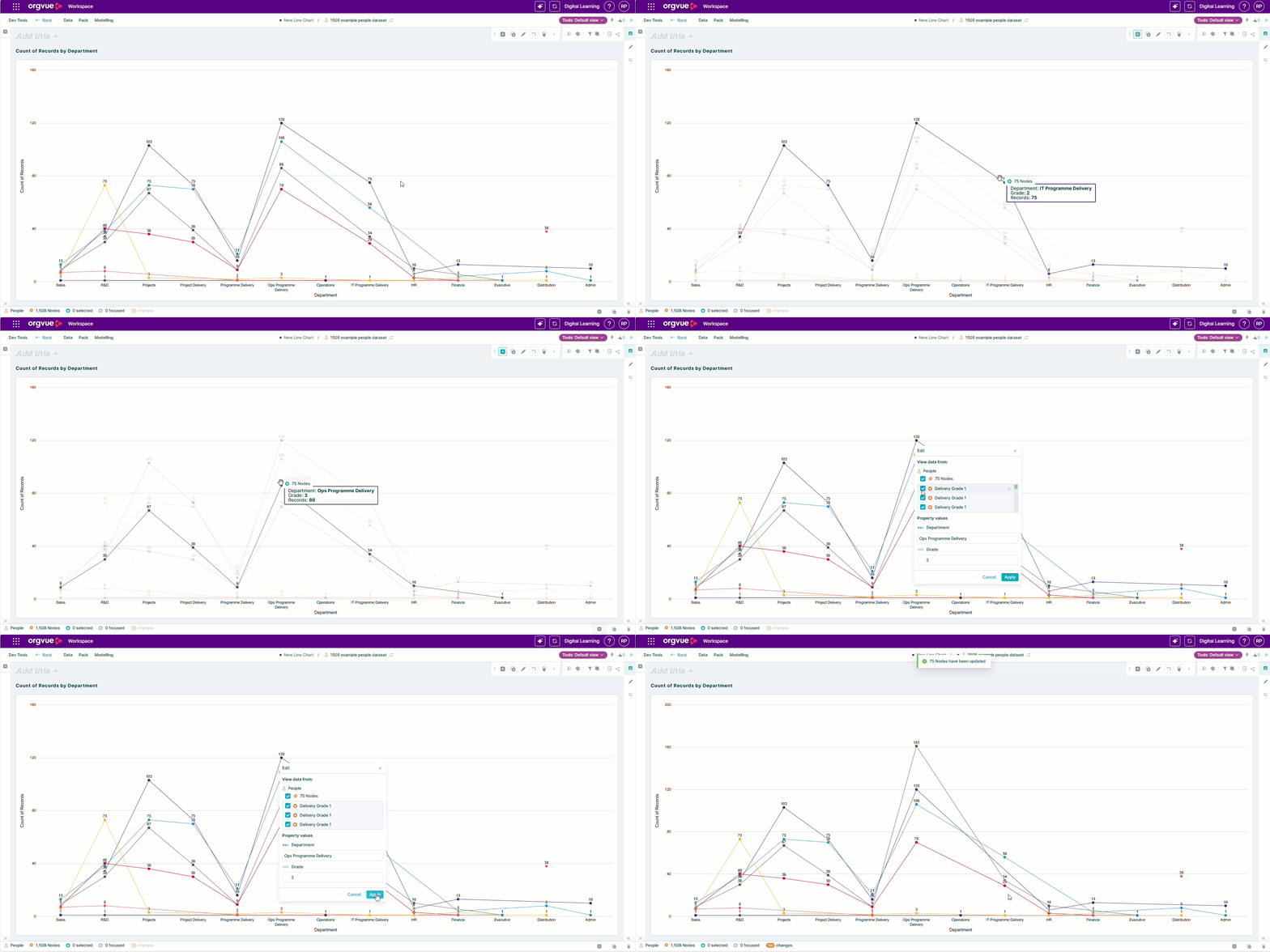
Line charts now support drag-and-drop interaction, letting you adjust the chart more directly while working in Orgvue.
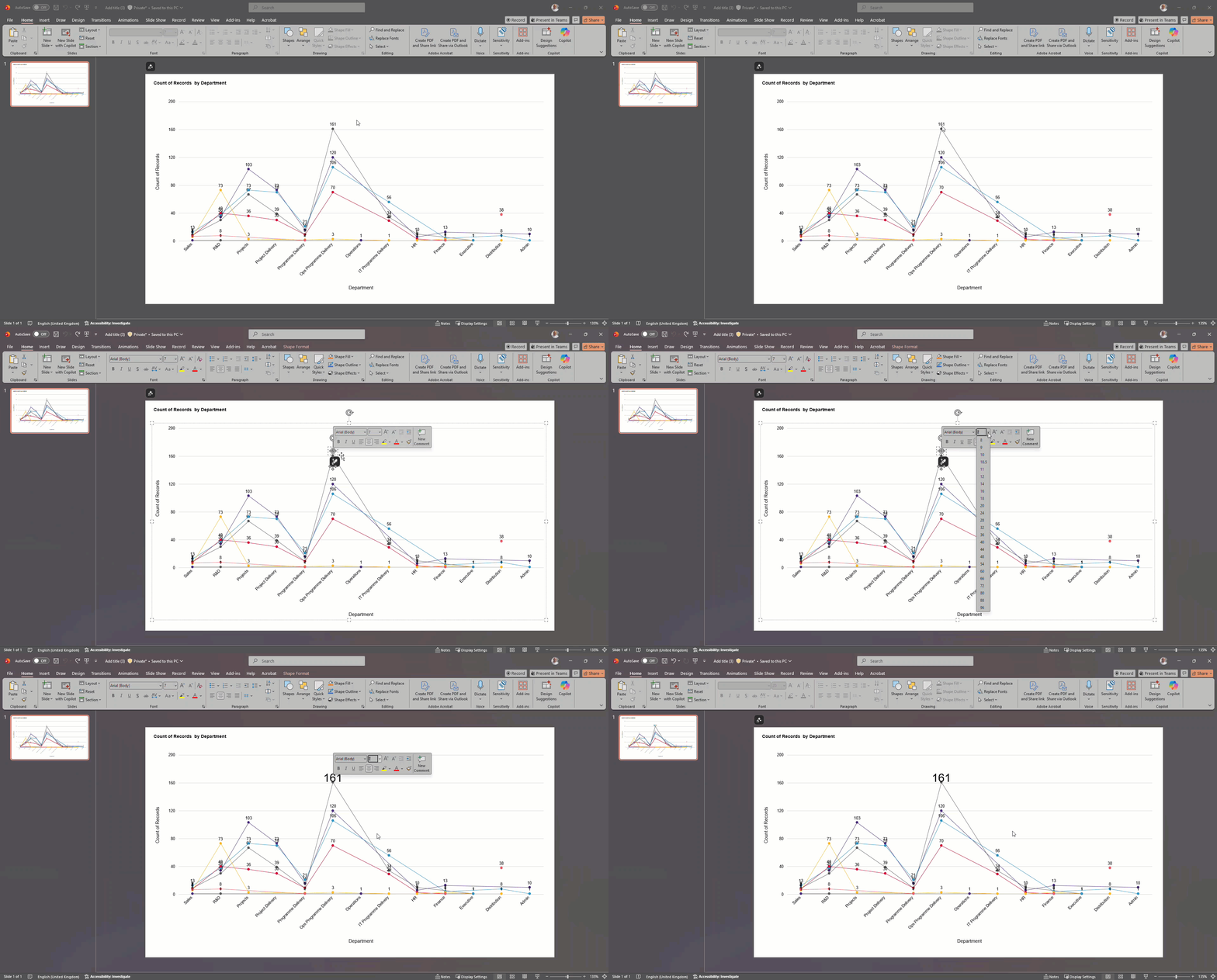
When you export a line chart to PowerPoint, it is created as an editable object rather than a static image. You can make presentation-specific formatting changes in PowerPoint without recreating the chart from scratch.
Together, these improvements make it easier to move from analysis to communication. You can shape the view in Orgvue, carry it into an established presentation workflow and make final visual adjustments while preserving the chart as an editable element.
The chart type itself has not changed, so existing users can continue with a familiar visualization while benefiting from a smoother editing and export experience.
Explore the Orgvue platform
FAQ: Line charts
Yes. Line charts support drag-and-drop interaction so you can adjust the visualization more directly in Orgvue.
Yes. An exported line chart is created as an editable PowerPoint object rather than a static image.
No. You can make final visual adjustments to the editable chart in PowerPoint without rebuilding it from scratch.


